Running an online TV station today is less about expensive hardware and more about smart automation. With the right dashboard, you can schedule playlists, reuse files endlessly, and keep a 24/7 channel running with minimal manual intervention—all while broadcasting through familiar tools like OBS Studio and specialized TV station hosting platforms.
How online TV station automation works
At the heart of a modern online TV station is an automation dashboard: a web interface where you upload videos, organize them into playlists, and define when each block of content should play. Instead of manually starting and stopping streams, you configure a schedule—much like a traditional TV grid—and let the system handle the rest.
Typically, you can:
- Upload shows, promos, bumpers, and ads into a shared media library.
- Create playlists for specific time windows (morning, afternoon, prime time).
- Drag and drop clips into order and set start times or durations.
- Loop blocks for overnight or low‑priority hours.
The automation engine then plays the right file at the right time, feeding your TV channel output into an encoder or directly into your streaming server. This is what makes it possible to run a “live” feeling channel without being live on camera all day.
Playlist scheduling in practice
Playlist scheduling is where TV station hosting really shines. Instead of thinking in single files, you think in blocks:
- A 60‑minute block with episodes or long‑form content.
- A 15‑minute block with highlights or magazine‑style segments.
- A 5‑minute block for promos and channel branding.
You can assign each block to a specific slot in your daily or weekly schedule. For example:
- 08:00–10:00: Kids programming playlist.
- 18:00–22:00: Prime‑time shows.
- 22:00–02:00: Re‑runs or “best of” content.
Most TV automation dashboards let you copy and reuse these blocks across days, so once you build a solid weekday schedule, adjustments are quick. You can also insert individual items (like a last‑minute announcement or sponsor spot) without rebuilding everything from scratch.
Dedicated TV station hosting platforms such as hosting-marketers.com/tv-station-hosting/ are built around this concept. They provide interfaces where you can:
- Manage playlists and schedules.
- Trigger specific events (for example, a one‑off live show) in the middle of automated programming.
- Preview your channel output before it goes live.
This kind of tooling is especially useful when you run multiple channels, each with different themes or language tracks, because a single dashboard can orchestrate content across all of them.
File reuse and building a content library
One of the biggest advantages of TV automation is file reuse. Instead of encoding and uploading the same content repeatedly, you:
- Upload a master version of each show, promo, or ad.
- Tag or categorize those files (genre, duration, language, rating).
- Reference the same files in many playlists and schedules.
This has several benefits:
- Saves storage and bandwidth, because you’re not duplicating assets.
- Keeps your brand consistent, using the same intros, bumpers, and lower thirds everywhere.
- Makes it easy to update: replace a single file (for example, a promo with new dates) and every playlist using it instantly gets the latest version.
Hosting environments built around TV station workflows are designed for this kind of reuse. They expect you to build a library and repurpose it many times—morning reruns, weekend marathons, special thematic days—without touching the original encoding again.
Budget‑friendly hosting and web providers like cheapwebhostinghouse.com sit on the other side of this workflow: they’re ideal for hosting your website, landing pages, and front‑end interfaces where viewers find your TV channel, schedules, and VOD archives. You can embed your player there while the heavy lifting of playlist automation and streaming runs on a TV‑optimized platform.
Where OBS Studio fits in
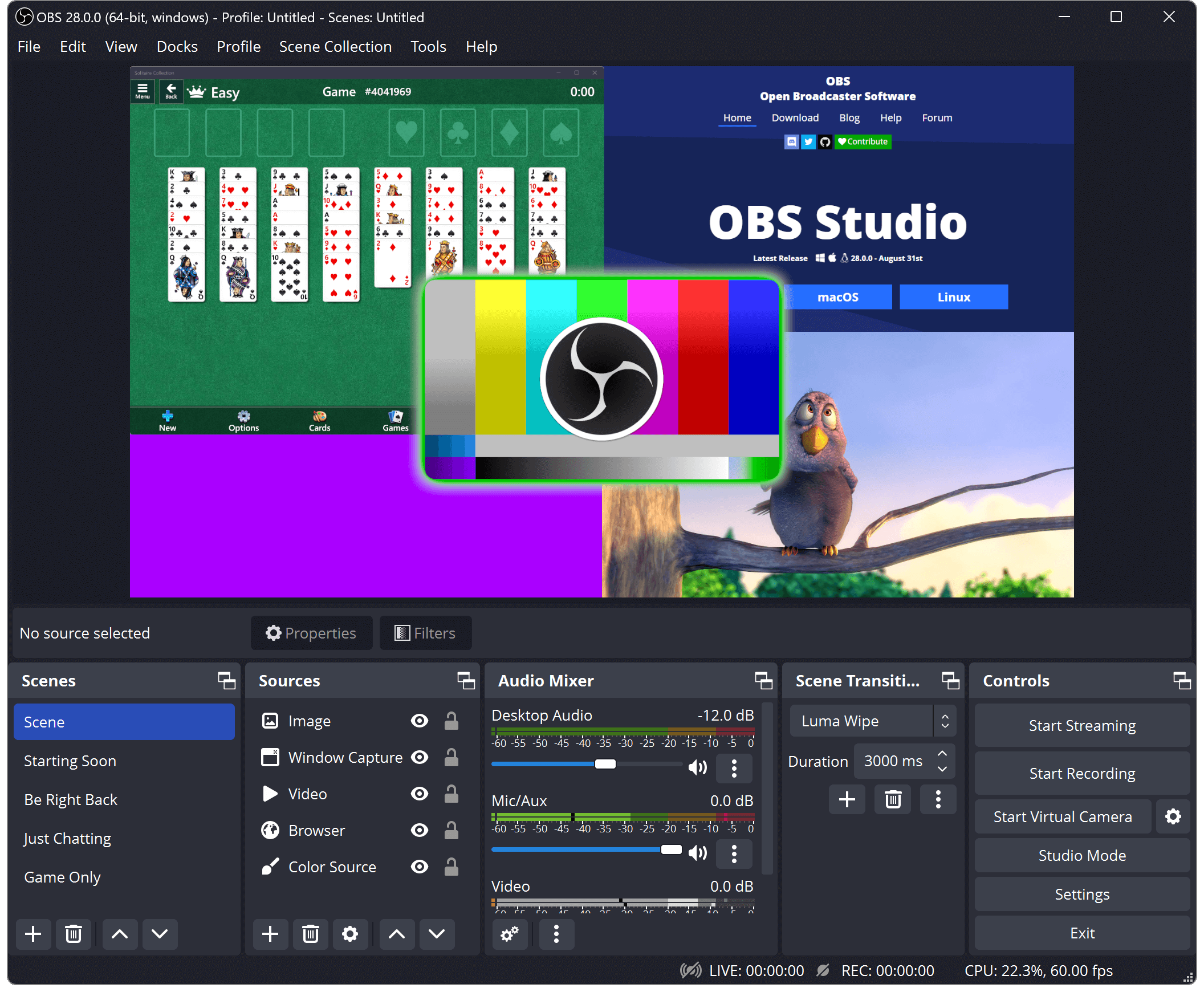
OBS Studio is often the first tool broadcasters learn, and it remains extremely useful even in an automated TV environment. It can complement your TV station stack in several ways:
- As a live insertion tool: use OBS to go live (news updates, interviews, special events) over your otherwise automated channel.
- As a preview or monitoring encoder: capture the output from your automation dashboard (via NDI, HDMI, or a virtual source) and send it to your streaming host.
- As a backup encoder: if your automated pipeline has an issue, OBS can act as a quick failover encoder to keep the channel online.
Because OBS supports multiple scenes, overlays, and audio sources, you can design live shows that blend seamlessly with pre‑scheduled content. When paired with TV station hosting that accepts RTMP ingest, OBS becomes your “manual gear” layer on top of an otherwise automated engine.
TV station hosting vs generic streaming
Generic streaming hosting focuses on one live stream at a time: you push a signal in, and viewers watch in real‑time. TV station hosting goes further by adding:
- Playlist and schedule management (day‑by‑day programming).
- Automated switching between files and live segments.
- Tools for channel branding (logos, slates, interstitials).
- Integration with media libraries and VOD.
Platforms like hosting-marketers.com/tv-station-hosting/ are built with these TV‑style needs in mind. They let you:
- Run 24/7 channels that feel like linear TV.
- Schedule loops and one‑off special broadcasts.
- Reuse your content library without re‑encoding every day.
Combined with a regular web host (for example, cheapwebhostinghouse.com) where you maintain your site, program guide, and viewer communication, you get the best of both worlds: a robust backend for the channel and a flexible frontend for your audience.